The best mesh WiFi systems solve a common modern problem: Wi-Fi that works well near the router but fades in bedrooms, basements, or far corners of a house. A single router struggles with thick walls, long hallways, and multiple floors, and adding a basic extender often creates a second network that devices cling to badly. Mesh systems use several units that work as one network, so your phone and laptop can move around the house without dropping or switching networks awkwardly.
This guide explains how mesh works, how many units you need, where to place them, and what features matter for families, remote workers, and gamers. It also covers costs, setup, and security, so you can tell whether mesh is the right fix or whether a simpler router upgrade or a wired connection would serve you better. A mesh system is not magic, but placed well, it can transform a frustrating home network.
How Mesh WiFi Actually Works
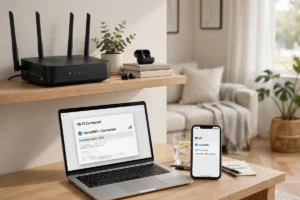
A mesh system has a main unit that connects to your internet modem and additional units, often called nodes or satellites, placed around your home. Together they broadcast a single network name, and your devices connect to the nearest unit as you move. Units talk to each other over Wi-Fi or, in better setups, over a wired ethernet connection, which keeps speeds steadier. The result should feel like one strong network, not a patchwork of hotspots.
Understanding how home Wi-Fi works in general helps you judge mesh claims, because mesh does not increase your internet plan speed; it helps distribute that speed around your home. If your internet plan itself is slow, mesh will not fix buffering or slow downloads. Before buying mesh, test your speed near the modem: if it is fast there but slow elsewhere, mesh or better placement may help. If it is slow everywhere, talk to your provider first.
How Many Units Do You Need?
Unit count depends on home size, layout, and wall materials, not just square footage. An open-plan apartment may need only two units, while a multi-floor house with brick or concrete walls may need three or more. More units are not always better, because units placed too close together can interfere with each other, and each extra unit adds cost. Start with the maker’s guidance for your home size, then add a unit only if a real dead zone remains after proper placement.
Think in terms of coverage zones rather than rooms. Place units where people actually use Wi-Fi: living areas, home offices, and bedrooms, rather than in closets or behind furniture. Each unit should still have a decent connection to another unit; placing a node in a dead zone itself will not help, because it has nothing strong to repeat. A good rule is to place nodes about halfway between the main router and the area you want to cover, in an open spot.
Placement: The Detail That Decides Performance
Placement is where most mesh setups succeed or fail. Units work best in open areas, at roughly waist to chest height, away from thick metal, aquariums, microwaves, and dense furniture. Avoid hiding a node inside a cabinet, behind a TV, or on the floor in a corner, because those spots block signal. Elevating a unit on a shelf, with clear space around it, often improves coverage more than buying an extra unit.
Test placement with real use, not just a signal app. Walk around with a phone or laptop, stream video, join a call, and note where quality drops. Move a node a few feet, or to the next room, and test again. Small moves can make a big difference, especially through stairwells and hallways. If a far room still struggles, a wired connection between units, where possible, is the most reliable fix, because it frees wireless capacity for your devices instead of for unit-to-unit traffic.
Speed, Bands, and Wired Backhaul
Mesh systems use radio bands to carry traffic, and newer systems offer more capacity for many devices at once. For most families, the key question is not the highest advertised speed, but whether speeds stay consistent when many devices stream, game, and video-call at the same time. A system that handles busy evenings without stuttering is more valuable than one that posts a high speed in an empty house test.
Wired backhaul means connecting mesh units to each other with ethernet cables, which gives each unit a fast, stable link and leaves Wi-Fi free for devices. If your home has ethernet ports, or you can run a cable to a key node, use it. If not, a system with a dedicated wireless band for unit-to-unit traffic is the next best option. Either way, avoid judging mesh by a single speed test; test during your busiest hours, with your normal devices connected.
Features Worth Paying For
Useful mesh features include a simple app for setup and guest networks, parental controls, device prioritization, and automatic updates. Guest networks let visitors connect without seeing your main devices, which is good security practice. Device prioritization can help a work laptop or gaming console during busy times, though it cannot create speed that is not there. Automatic updates keep security fixes coming without manual effort, which matters for a device that runs all day.
Some systems add built-in smart-home hubs, voice assistants, or security features, but those extras should not decide your purchase unless you will use them. Focus first on coverage, stability, and ease of management. A mesh app should let you see connected devices, pause internet for a child device, restart a node, and check connection quality without needing technical knowledge. If setup feels confusing in the first hour, that is a warning sign for long-term management.
Security and Privacy for a Home Network
Your mesh system is the gateway to your home network, so secure it like you would a front door. Change default admin passwords, use a strong Wi-Fi password, turn on automatic updates, and review connected devices occasionally. These habits align with cybersecurity tips for 2026, and they protect cameras, laptops, phones, and smart devices that share the network. If your system offers separate networks for smart-home gadgets, consider using them to limit what a compromised gadget can reach.
Also think about household rules: who manages the network, who can change settings, and how guest access works. A single admin account with a strong password is simpler to protect than several admin logins. Keep the system’s app updated, and remove old devices you no longer own. Good network hygiene is boring, but it prevents most common home-network problems before they start.
Mesh in a Wider Connected Home
Mesh Wi-Fi supports the rest of your connected home, from cameras and speakers to tablets and laptops, which is the practical heart of how connected devices fit into daily life. When Wi-Fi is steady, video calls do not freeze, cameras upload reliably, and smart devices respond promptly. When Wi-Fi is weak, every device gets blamed in turn, even though the network is the real problem. Fixing coverage first often makes existing gadgets feel newer and faster without replacing them.
Mobile and home networks interact too. Learning how 5G networks work and how the internet actually works basics helps you decide when to use mobile data as a backup, when to hotspot from a phone, and when a home connection issue needs your provider rather than new hardware. For rural homes, how Starlink satellite internet works is sometimes discussed as an alternative internet source, though availability and local options vary. Mesh still matters there, because even a good internet connection needs distribution around a house.
Newer devices also use more efficient chips and smarter radios, and how microchips are made background can help you understand why a newer mesh system may handle many devices better than an older router. Comparing systems with the coolest tech gadgets of 2026 and the coolest gadgets of the year can keep expectations realistic: mesh is infrastructure, not entertainment, and the best system is often the one you stop noticing. It should quietly keep every room connected, day after day.
Finally, do not overlook wired options for stationary devices. A desktop computer, game console, or TV that sits near a mesh node may perform better on a short ethernet cable from that node, freeing Wi-Fi for phones and laptops that move. That hybrid approach, wired where possible and wireless where needed, usually gives the most stable home network for the money.
Do You Actually Need Mesh?
Mesh is worth it if you have dead zones, a multi-floor home, or many devices spread across a large area. It may be overkill for a small apartment where a single good router, placed centrally, already covers everything. Try moving your current router to a central, open spot first, and test again. If dead zones persist, mesh is a sensible next step. If a single room struggles, a wired connection or a better-placed router may solve it for less.
Choose a system that fits your home size, offers easy management, and receives regular updates, then place units carefully and test in real use. The best mesh WiFi system is not the most expensive one. It is the one that ends dead zones, keeps video calls steady, and lets you forget about your network, because it simply works wherever you are in your home. Smarter management features, from automatic channel selection to device prioritization, increasingly rely on on-device intelligence explained by how artificial intelligence works, while the small batteries and power systems in portable nodes benefit from the same efficiency ideas behind how lithium-ion batteries work.