You tap a link and a page loads in a second. You send a photo to a friend across the country and it arrives instantly. The internet feels like a single, invisible thing — but it is actually a patchwork of millions of networks, billions of devices, and a set of clever rules that let them all talk to each other. Understanding how does the internet work is one of the most useful things a curious person can learn about modern life.
The core idea is surprisingly simple: your data is chopped into small pieces, each piece is labeled with a destination address, and the network forwards each piece hop by hop until it arrives. Reassembly happens at the other end. Everything else — the cables, the routers, the servers — exists to make that journey fast and reliable. Let us trace the full path.
How Does the Internet Work: Networks of Networks
The internet is not one network. It is a network of networks — thousands of independent networks run by internet service providers, phone companies, universities, and businesses, all interconnected. Your home network connects to your internet provider’s network, which connects to larger backbone networks, which connect to the networks hosting the websites you visit.
What makes this patchwork function as one seamless whole is a shared language: a set of communication rules called protocols. The most important is the Internet Protocol, or IP. Every device on the internet has an IP address — a numeric label that works like a postal address. When your device sends data, it stamps the destination’s IP address on it, and the network figures out how to get it there.
Your First Hop: From Home to the Provider
Everything starts at home. Your phone or laptop connects to your router, usually over Wi-Fi. The router forwards your traffic to your internet service provider over a cable, fiber, or phone line. From there, your data enters the provider’s network and begins its real journey across the internet.
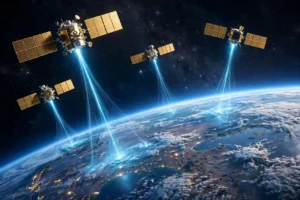
Mobile users take a different first hop: the phone sends data over the air to the nearest cell tower using 5G or earlier cellular technology, and the tower hands it to the provider’s wired network. In rural areas without good cables or towers, that first hop may even travel to space and back via satellite internet constellations.
Packets: How Data Travels
Your data never travels as one big stream. It is broken into small chunks called packets. Each packet carries a piece of your data plus a header containing the source and destination IP addresses, a sequence number, and error-checking information.
Why chop data up? Several reasons. First, packets from many users can share the same cables efficiently, interleaving like cars merging onto a highway. Second, if a packet is lost or corrupted, only that small piece needs to be resent — not the whole file. Third, packets can take different routes and be reassembled at the destination, which makes the network resilient: if one path fails, packets simply flow around the problem.
TCP: The Reliable Delivery System
On top of IP sits the Transmission Control Protocol, or TCP. TCP is what guarantees reliable delivery. It numbers every packet, checks that each one arrived intact, and asks for retransmission of any that went missing. At the destination, TCP reassembles the packets in the correct order and hands the complete data to the application.
TCP and IP work so closely together that they are usually named as a pair: TCP/IP. When you load a webpage, TCP/IP is quietly handling the delivery while your browser focuses on displaying the result. Some applications, like live video calls and online games, use a lighter protocol that skips retransmission in favor of speed — a lost packet means a momentary glitch rather than a delay.
Routers: The Internet’s Traffic Controllers
Between your device and its destination, packets pass through routers — specialized devices whose entire job is forwarding packets toward their destinations. A router examines each packet’s destination address, consults its routing table, and sends the packet to the next router closer to the target.
Routers constantly exchange information about which paths are working and which are congested, so traffic routes around failures automatically. Your data might cross the country through a dozen routers owned by several different companies, and you will never notice — the whole trip typically takes a fraction of a second.
The Undersea Cables Carrying the World
Despite the word “wireless,” the internet runs mostly on wires. Enormous fiber-optic cables — many lying on the ocean floor — carry the vast majority of intercontinental traffic as pulses of light. These cables are the true backbone of the global internet, and new ones are laid every year to add capacity between continents.
DNS: The Internet’s Phone Book
Humans remember names like example.com, but networks need IP addresses. The Domain Name System, or DNS, translates between the two. When you type a web address, your device asks a DNS server: “What is the IP address for this name?” The server answers, and your device can then send packets to the right place.
DNS works as a hierarchy. Your request may pass from your provider’s DNS server up through servers responsible for the domain ending, then to the servers of the specific website. The answer gets cached at each level, so repeat visits resolve faster. This invisible lookup happens for nearly everything you do online, which is why DNS problems can make the whole internet feel broken even when your connection is fine.
Servers: Where the Content Lives
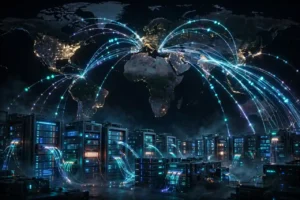
At the far end of the journey sit servers — powerful computers that store websites, videos, and apps, and send them to whoever asks. A single popular site may run on thousands of servers spread across data centers worldwide. When you request a page, you are usually connected to a nearby server holding a copy, which is why content loads quickly no matter where the company is headquartered.
Behind the scenes, giant data centers hum with racks of machines. Those machines run on advanced microchips engineered for server workloads, and keeping them cool and powered is one of the great engineering challenges of the digital age.
The Cloud, Explained
“The cloud” simply means someone else’s servers, rented by the hour. When your photos back up to the cloud, they are stored in a data center possibly thousands of miles away. When a startup launches an app without buying hardware, it rents cloud servers. The cloud made computing flexible: capacity can grow or shrink instantly instead of requiring physical machines to be purchased and installed.
How a Webpage Actually Loads
Let us put it all together with a concrete example. You type a web address and press enter. First, DNS translates the name to an IP address. Your browser opens a TCP connection to that address and sends an HTTP request — essentially asking, “Please send me this page.”
The server responds with the page’s HTML, broken into packets that travel back through routers to your device. Your browser reassembles them, then discovers the page needs images, styles, and scripts — so it sends more requests, and more packets flow. Within a second or two, the page appears. Every step involves protocols cooperating across networks owned by different companies, yet it feels effortless.
HTTPS: The Lock Icon
When a site’s address starts with HTTPS, your connection is encrypted. Encryption scrambles your data so that routers, providers, and eavesdroppers along the path cannot read it — only your device and the server hold the keys. This protects passwords, messages, and payment details. The lock icon in your browser means this encryption is active, and it is a key part of staying safe online in 2026.
Wireless Last Miles: Wi-Fi, Cellular, and Satellite
The “last mile” — the final hop to your device — is where wireless technologies shine. Home Wi-Fi covers your house. Cellular networks cover cities and highways. Satellite systems cover the places cables cannot reach. Each solves the same problem differently, trading off speed, coverage, and cost.
Your phone constantly switches between these. Walk out of Wi-Fi range and it hands off to cellular without dropping your call. This seamless handoff is one of the quiet triumphs of modern networking, and it depends on the same packet-switching principles everywhere — which is also why GPS satellites can guide you while your phone streams music at the same time.
Who Runs the Internet?
No single company or government runs the internet. It is governed by a mix of technical organizations that maintain standards, companies that operate the physical networks, and regulators in each country. The protocols themselves are open standards — anyone can build equipment or software that follows them, which is why innovation has flourished for decades.
This decentralization is a feature, not a bug. Because no central authority controls the whole system, the internet is remarkably resilient. Parts can fail — cables get cut, servers go down — and traffic simply reroutes. It also means new ideas, from blockchain networks to AI-powered services, can plug into the same global infrastructure.
The Future: Faster, Everywhere
The internet keeps evolving. Fiber reaches more homes, wireless generations get faster, and quantum computing researchers are even rethinking what networks might look like decades from now. Meanwhile, the gadgets on your desk keep getting smarter — check 2026’s coolest tech gadgets to see how much connectivity now fits in your pocket.
Conclusion
So how does the internet work? Your data is split into packets, each stamped with a destination IP address. Routers forward those packets across interconnected networks, over fiber cables and wireless links, until they reach servers that send answers back the same way. DNS translates human-friendly names into addresses, TCP guarantees everything arrives intact, and encryption keeps it private.
The next time a page loads instantly, remember the invisible choreography behind it: billions of packets racing through cables under oceans and signals through the air, all following simple rules that add up to the most complex machine humanity has ever built. Understanding it does not just satisfy curiosity — it makes you a smarter, safer user of the technology that runs modern American life.