The best gaming laptops promise desktop-level play in a machine you can carry, and that promise is real, but it comes with trade-offs you should understand before you buy. Gaming laptops are heavier, hotter, louder, and often shorter on battery than regular laptops, because powerful graphics and fast screens demand energy and cooling. If you mainly play at a desk, those trade-offs may be fine. If you carry the laptop to class or work every day, they matter a lot more.
This guide explains graphics, processors, screens, cooling, and upgrade options in plain terms, without pretending that the most expensive machine is automatically the best choice. It will help you match a laptop to the games you play, the settings you prefer, and the places you play them. Whether you play competitive shooters, open-world adventures, or a mix of everything, the right balance will feel different.
Graphics and Processor: What Actually Affects Play
Graphics power is the heart of a gaming laptop. It decides how smoothly games run at your chosen resolution and settings, and how well the laptop will handle new games in a few years. A stronger graphics chip lets you raise detail settings and still keep frame rates smooth, while a weaker chip forces compromises sooner. The processor matters too, especially for strategy games, simulations, and open worlds with many characters, but for most players the graphics chip is the first thing to get right.
Be careful with model names alone, because the same graphics chip can perform differently in different laptops depending on power limits and cooling. Two laptops with similar specs on paper can play very differently in practice. Read reviews that test actual games at your preferred settings, not just benchmark scores. It also helps to know how microchips are made, because chip design and power use explain why thin gaming laptops often run hotter or slower than thicker ones with the same parts.
Screen, Refresh Rate, and Resolution
The screen shapes how games feel. A higher refresh rate makes motion look smoother, which competitive players notice most, while a higher resolution makes worlds look sharper but demands more graphics power. For many players, a fast, bright screen at a moderate resolution is a better balance than a very high-resolution screen paired with a graphics chip that struggles to fill it. Color quality matters for story-driven and creative games, so look for a screen that reviewers describe as accurate and bright, not just fast.
Size and weight follow from the screen. A 15-inch gaming laptop is a common compromise between immersion and portability, while a 17-inch model feels more like a desktop replacement and is harder to carry. Test the weight with a charger, because gaming chargers are large and heavy. If you play mostly at a desk, an external monitor can give you a bigger view at home while keeping the laptop itself portable, which is a flexible setup many players prefer.
Cooling, Noise, and Comfort
Cooling is where gaming laptops succeed or fail over time. Powerful parts generate heat, and if a laptop cannot shed that heat, performance drops and parts wear faster. Thicker laptops usually cool better and run quieter, while thin laptops look sleek but may get loud under load. Fan noise matters if you play in shared rooms, libraries, or late at night, and a headset can help, but it does not remove heat from your lap or desk.
Check where heat exits the laptop and whether the keyboard stays comfortable during long sessions. Some laptops blow hot air onto your mouse hand, which gets annoying quickly. Good design keeps the keyboard and palm rest usable even when the machine is working hard. Also consider a cooling pad or a raised stand for desk play, and keep vents clear of bedding or soft surfaces, because blocked vents are a common cause of overheating and throttling.
Battery Life: Set Realistic Expectations
Gaming laptops are not known for long battery life, and that is normal. Playing demanding games on battery alone drains power quickly, and many laptops reduce performance when unplugged to save energy. For most players, the realistic pattern is to play plugged in and to use battery only for light tasks like browsing, writing, or watching videos. If you need a laptop that also lasts through classes or work, look for models with a larger battery and a mode that switches to efficient graphics for non-gaming tasks.
Understanding how lithium-ion batteries work helps you judge claims honestly: screen brightness, refresh rate, and background apps all affect unplugged time. Carry the charger for gaming sessions, and do not judge a gaming laptop by the same battery standard as an ultraportable. The right question is whether battery life covers your non-gaming day, because gaming itself will almost always need a wall outlet for the best experience.
Memory, Storage, and Upgrades
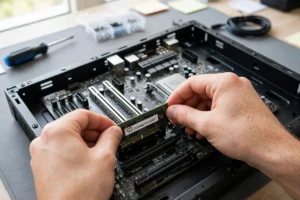
Modern games are large, so storage fills fast. A solid-state drive is essential for quick loading, and a larger drive, or a second drive slot, gives you room for several games without constant uninstalling. Memory matters for smooth play and multitasking: running a game alongside voice chat, a browser, and streaming software benefits from generous memory. If a laptop lets you upgrade memory or storage later, that flexibility can extend its useful life and save money up front.
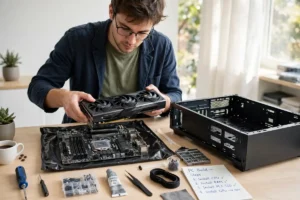
Check upgrade access before you buy, because some thin models seal everything inside. A laptop with accessible slots is easier to keep relevant as games grow. Also think about ports: enough USB ports for a mouse, headset, and controller, plus a video output for an external monitor, make desk setups simpler. These practical details rarely appear in ads, but they shape daily use, just as how connected devices fit into daily life and connected accessories shape how a gaming setup grows over time.
Gaming Laptops in a Connected Home
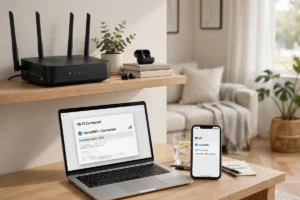
Online play depends on a stable connection as much as on hardware, and learning how the internet actually works and how home Wi-Fi works basics can help you diagnose lag, dropped matches, and slow downloads. A wired connection is usually steadier than Wi-Fi for competitive play, while a well-placed router and a clear channel can improve wireless play a lot. Before blaming a laptop for lag, test whether other devices struggle at the same time, because the bottleneck is often the network, not the machine.
Newer game features, from smarter opponents to voice tools, increasingly use machine learning, and how artificial intelligence works in plain language helps you understand what those features can and cannot do. Similarly, custom accessories and mounts are easier to imagine once you know what 3D printing can build, even if you never print parts yourself. The wider tech world, including how robots are changing homes and workplaces, shows how automation is entering homes and workplaces, and gaming hardware is part of that same shift toward powerful, compact machines.
Security matters for gamers too, because accounts hold games, progress, and payment details. Use strong, unique passwords, turn on two-factor authentication where offered, and keep software updated, habits that align with cybersecurity tips for 2026. Compare your shortlist with the coolest tech gadgets of 2026 and the coolest gadgets of the year to see how gaming laptops sit beside other gear you may want, like monitors, headsets, and controllers, so your budget covers the full setup rather than just the laptop alone.
Finally, remember that a gaming laptop is also a daily computer. It should handle homework, work calls, and browsing without feeling like a burden. A machine that is brilliant for games but miserable for typing, carrying, or battery life will disappoint on ordinary days. Balance is the goal, and a balanced choice will serve you longer than a machine that wins one benchmark and loses on everyday comfort.
Choosing Your Balance
To choose well, rank your priorities: raw performance, portability, screen quality, quiet cooling, or battery for non-gaming use. No laptop tops all five at once, so decide which two matter most and accept compromises on the rest. A desk-first player should prioritize graphics, cooling, and screen. A student who also games should prioritize weight, battery for classes, and a keyboard that works for essays as well as games. A competitive player should prioritize refresh rate and stable performance over extra resolution.
Finally, test the keyboard, trackpad, and speakers if you can, and read reviews from players who play your kinds of games. The best gaming laptop for you is not the fastest machine in a chart. It is the machine that runs your games smoothly, stays comfortable during long sessions, fits your bag and budget, and still feels good for everyday work. Chosen with those trade-offs in mind, it can serve as both a gaming machine and a daily laptop for years. Take your time with the final choice, compare real game tests rather than marketing claims, and pick the laptop that feels right in your hands, on your desk, and in your daily routine. That careful, hands-on choice is what turns a good purchase into a machine you enjoy using every single day.